Someone Just Vibe-Coded the Entire Adobe Suite
And it’s not completely crap
 Andy Hutchinson
8 min read
Andy Hutchinson
8 min read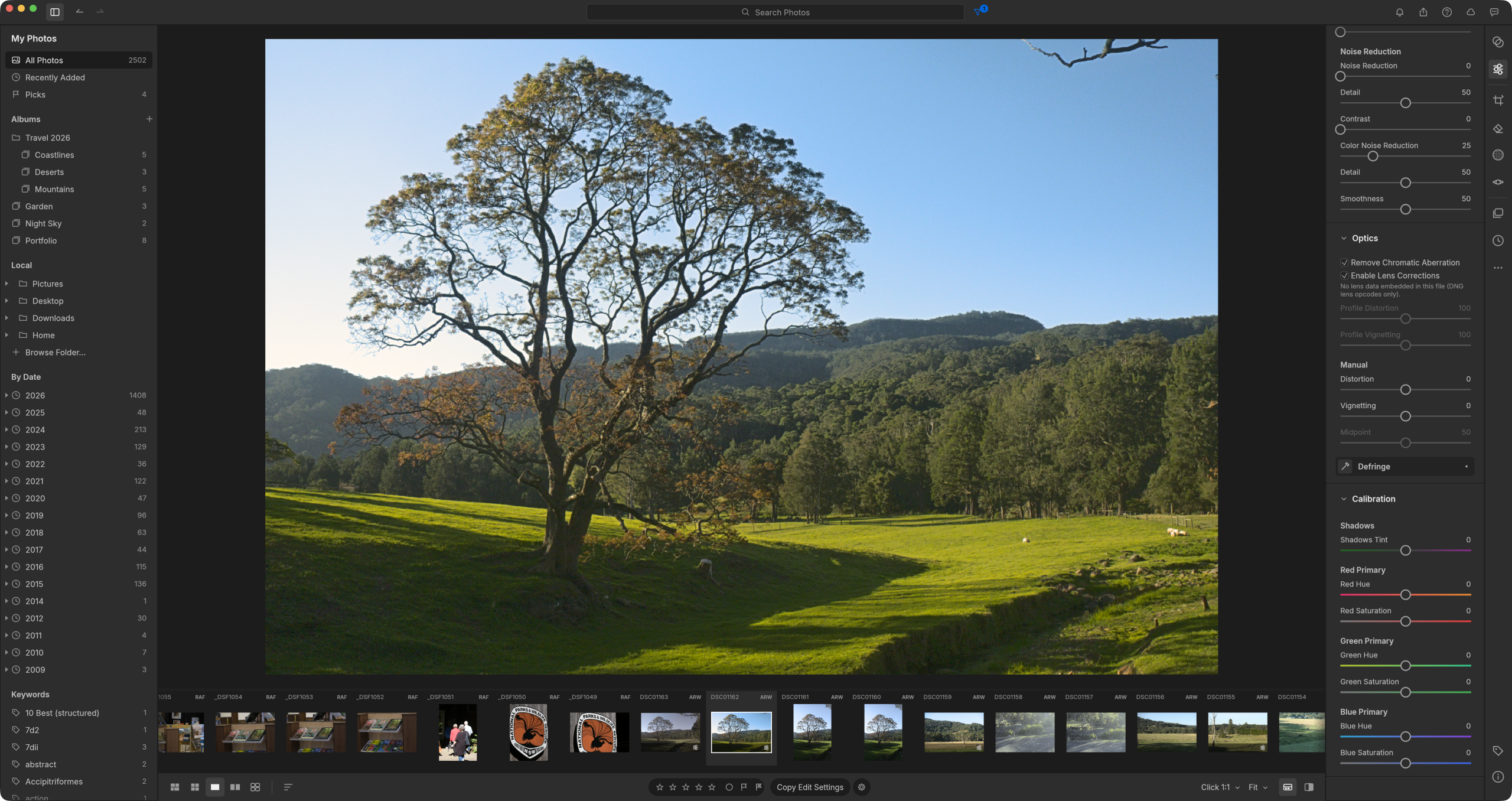
I’m guessing that this is a day that Adobe probably dreaded coming – a group of developers have cloned pretty much the entire Adobe suite and released the entire thing – source code and all – for free.
Lightroom, Photoshop, InDesign, Illustrator, Premiere Pro, After Effects, Acrobat are all available right now for macOS, Windows and Linux. You can download them all and run them locally or you can run them in a browser as a web app.
It’s a ballsy move, going up against the planet’s biggest creative software developer, but according to the developers, the apps were all coded using a clean-room reimplementation in a language called Rust.
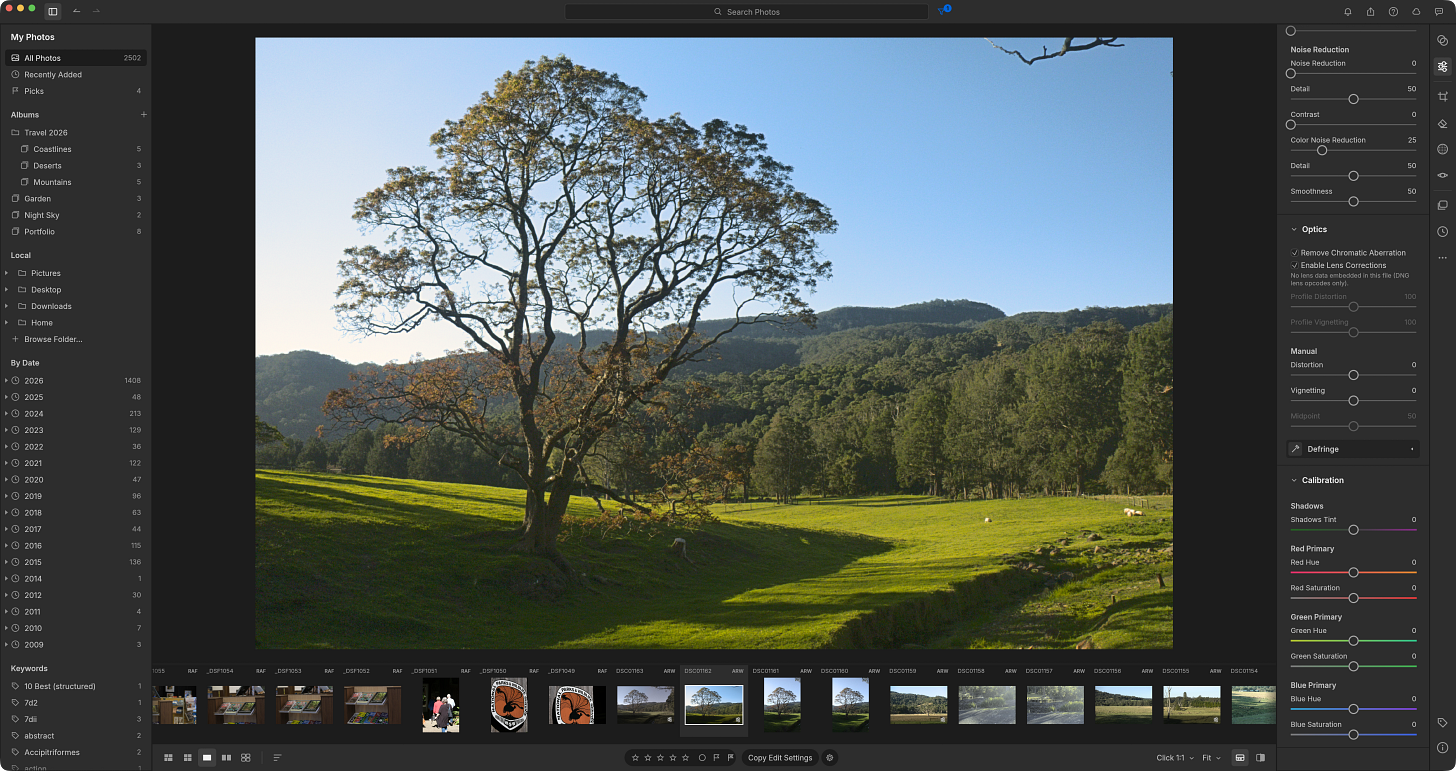
Before we get into the possible legal ramifications of this release, let’s talk about the software, which currently clones seven of the main Adobe apps – and the two that are of most interest to me – LightCraft (a Lightroom Cloud clone) and PhotoCraft (a Photoshop clone).
Lightroom LightCraft
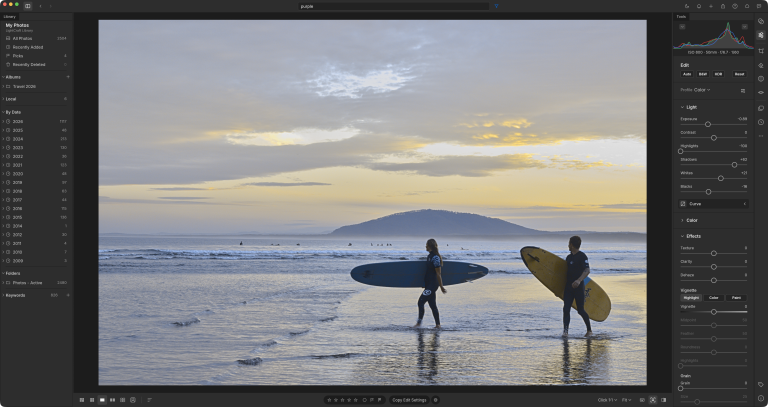
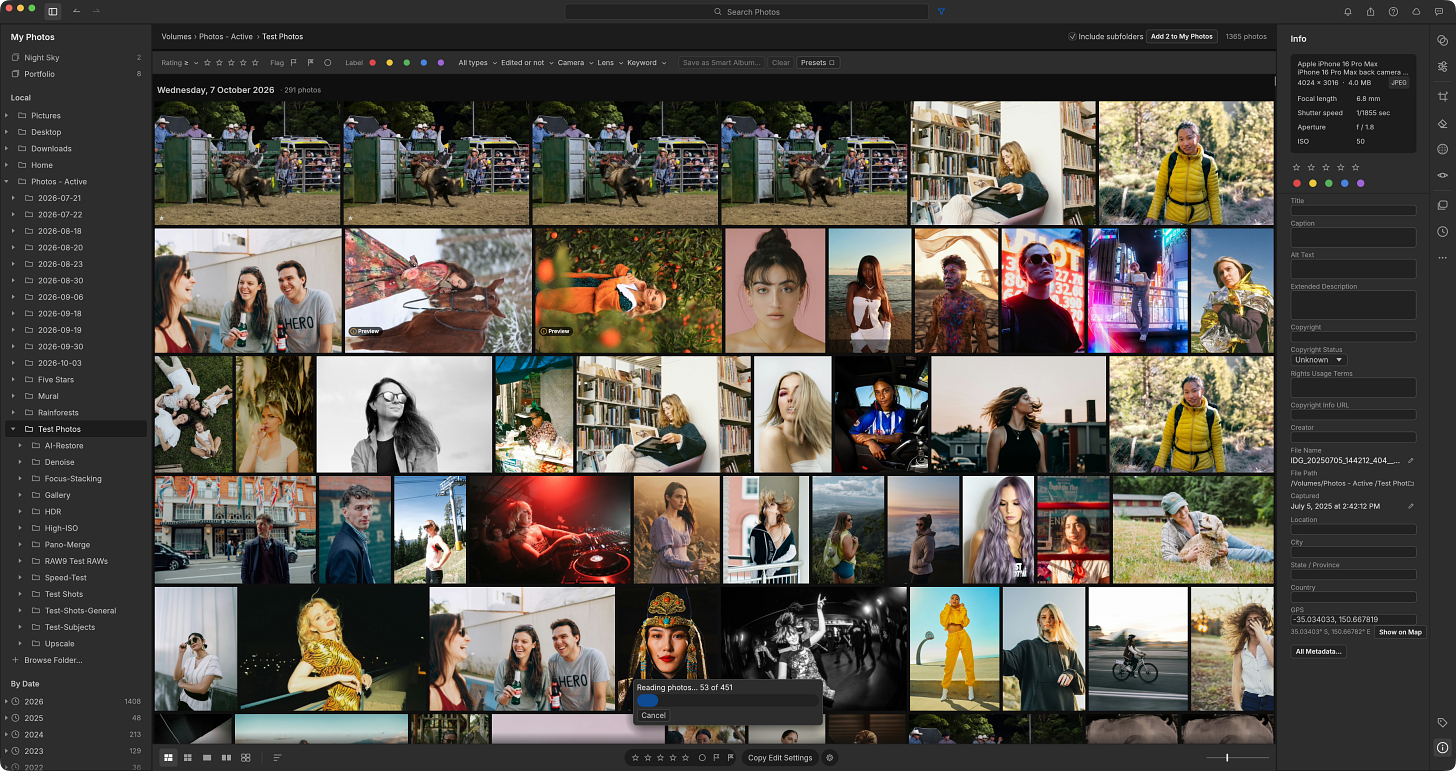
Firstly, I have to say that they have absolutely nailed the interface. If you’d sat me down in front of LightCraft and not told me it was a clone, it would have taken me a minute to realise it, because everything from the the slider implementation to the file management is absolutely spot-on.
The first thing I test in every single RAW editor is always the core sliders – are they just primitive linear implementations or have they done it properly and used curves or more advanced features like edge detection.
And in this case they’ve done it mostly right – there’s a target range on the sliders such that shadows and highlights are attacking the correct end of the histogram, but I also noticed a slight loss in contrast when using them, suggesting that while it’s a pretty well-engineered raw S-curve or a localized rolling tone curve, it’s not as good as Lightroom’s which also compensates for micro-contrast.
By default the preview is fairly low resolution and so the first thing I did was crank it up to full (5120) on my M2 Macbook Pro with GPU acceleration enabled. Refresh rates even at this full resolution were pretty snappy – a slight lag perhaps on the curves adjustment, but not a deal-breaker.
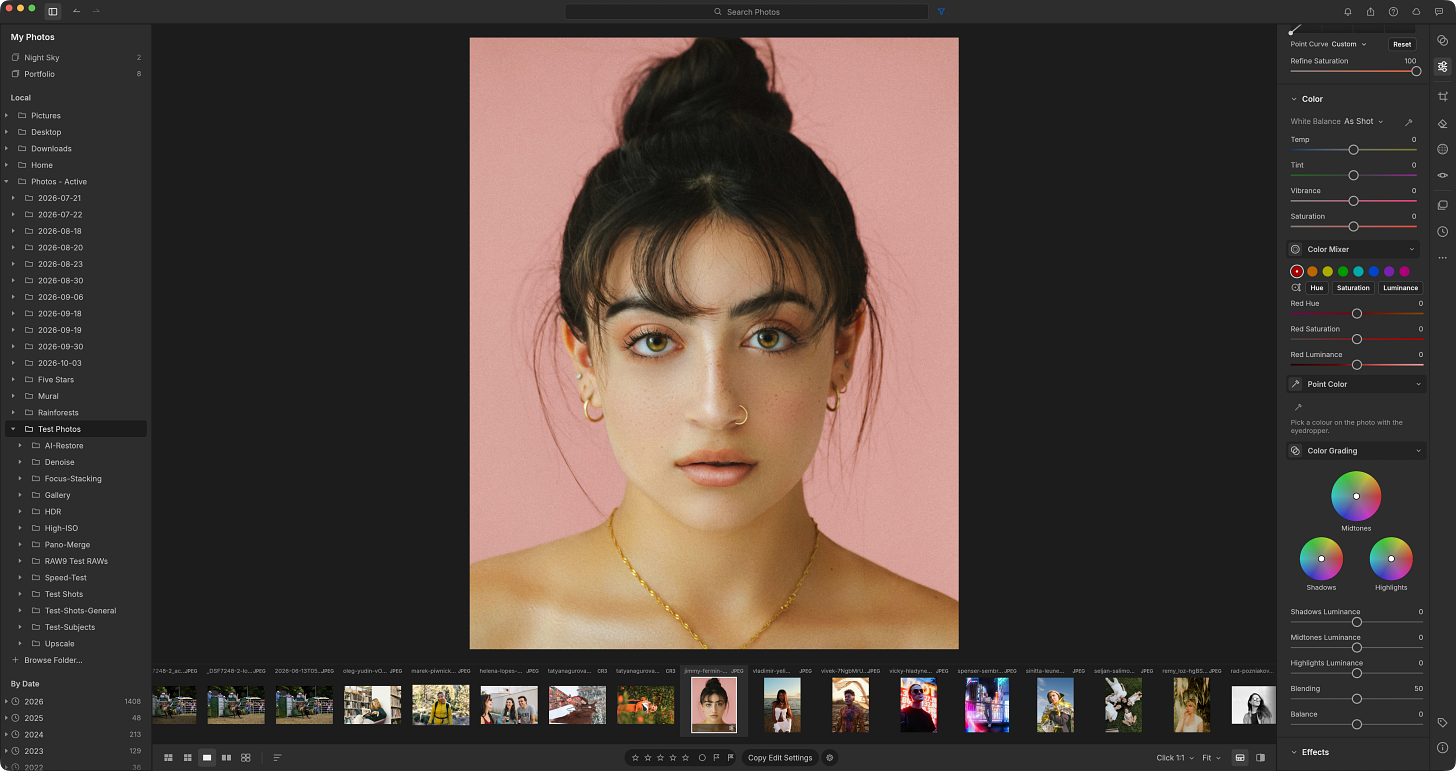
You will find pretty much all of the core tools from Lightroom in the main adjustments palette, including colour mixer, point colour and colour grading – and yes, they’ve even implemented the variance slider that Adobe recently added to the Point Colour tool.
In terms of optical corrections, the Optics tab is present and covers distortion, vignetting, chromatic aberration and defringe, plus corrections embedded in DNG files – what’s missing is a lens profile database. I’d have guessed they’d bolt on the excellent LensFun library like every other open source RAW editor, but the README says they’re building their own camera lens profiles, and that work is listed as ‘not started’. So until their own profiles arrive, you’re correcting lenses by hand.
On camera profiles, there’s a Profiles list with Color, Neutral, Vivid, Landscape, Portrait and Monochrome, which the README calls ‘our own looks’. Those are creative rendering styles in the Adobe mould, but they are not camera-matched profiles for your particular sensor. There’s no mention of DCP or ICC support, and no word on where the colour data for non-DNG raws (Canon, Sony, Nikon, Fuji and friends) comes from. DNGs carry their own colour matrices, so they’re presumably fine. For everything else, all we get is ‘our own colour science’, which is a pretty bold claim to make without showing any working.
Masking has been implemented comprehensively though the results fall far short of what you can achieve in Lightroom. There are a couple of AI masks – subject, sky and background – along with brush, linear, radial, luminance and colour. And yes, the add/subtract/intersect/invert operators are present and correct.
Subject mask failed to pick up on even the most object clearly defined subject on plain backgrounds, sky was only marginally better and background was useless. I’d say that the AI masks were far and away the weakest implementations in the app and certainly not useable. The traditional masks work better but the operator functionality (adding or removing from masks) need a lot of work too.
There’s a Remove tool too, but it’s old school: Remove, Heal and Clone with an auto-picked source, plus red eye and pet eye correction. Nothing generative, so no AI conjuring a convincing patch of background from thin air. The README lists content-aware fill as in progress, so it’s not here yet.
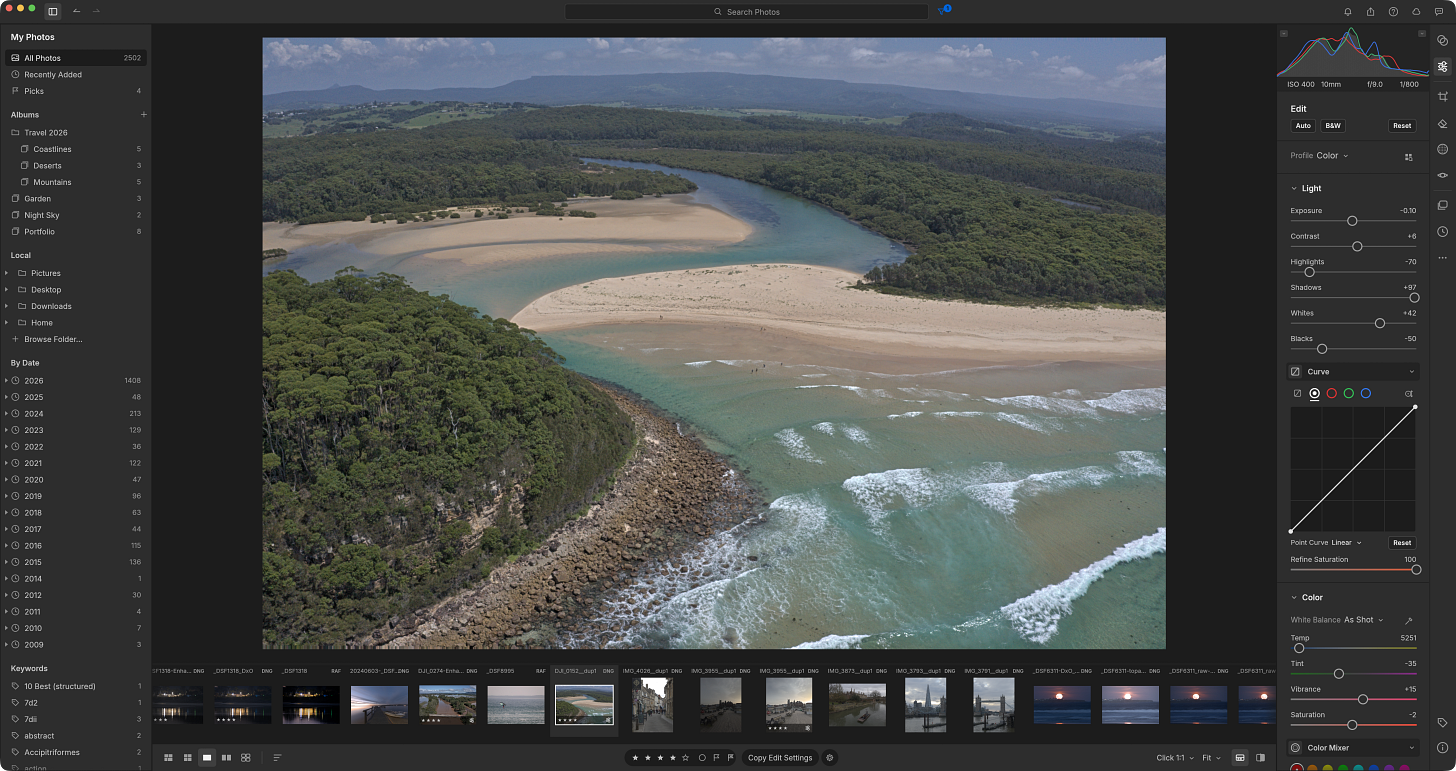
Perhaps the most surprising feature is that LightCraft read all core edits from Lightroom where I’d written out to a .XMP sidecar file. Opening a RAW for the first time in LightCraft showed all the sliders set as per my last editing session with that image. The results weren’t entirely like-for-like for all the reasons about slider curves, profiles and corrections that I’ve mentioned above, but this is verging on ‘holy grail’ territory for photographers with large Lightroom libraries, looking to ditch Adobe.
RAW support is fairly patchy – it wouldn’t read my compressed X-T4 RAW for instance and displayed the embedded JPEG instead. But it does a pretty good job of reading metadata (title, captions, star ratings etc) but didn’t seem to pick up on my pick/reject statuses.
I kept exploring the app, checking to see if they’d implemented particular features and time and again I found that they had – stacking (with autostack), photomerge (including HDR panos), autotagging from capture logs, assisted culling, virtual copies, smart albums, geometry, cropping and presets – all in there. Keyboard shortcuts are like-for-like too.
Photoshop PhotoCraft
There are actually quite a few straight Photoshop clones out there, including apps like PhotoPea which do a pretty good job in a browser tab, but after seeing the job they’d done with LightCraft, I was expecting great things.
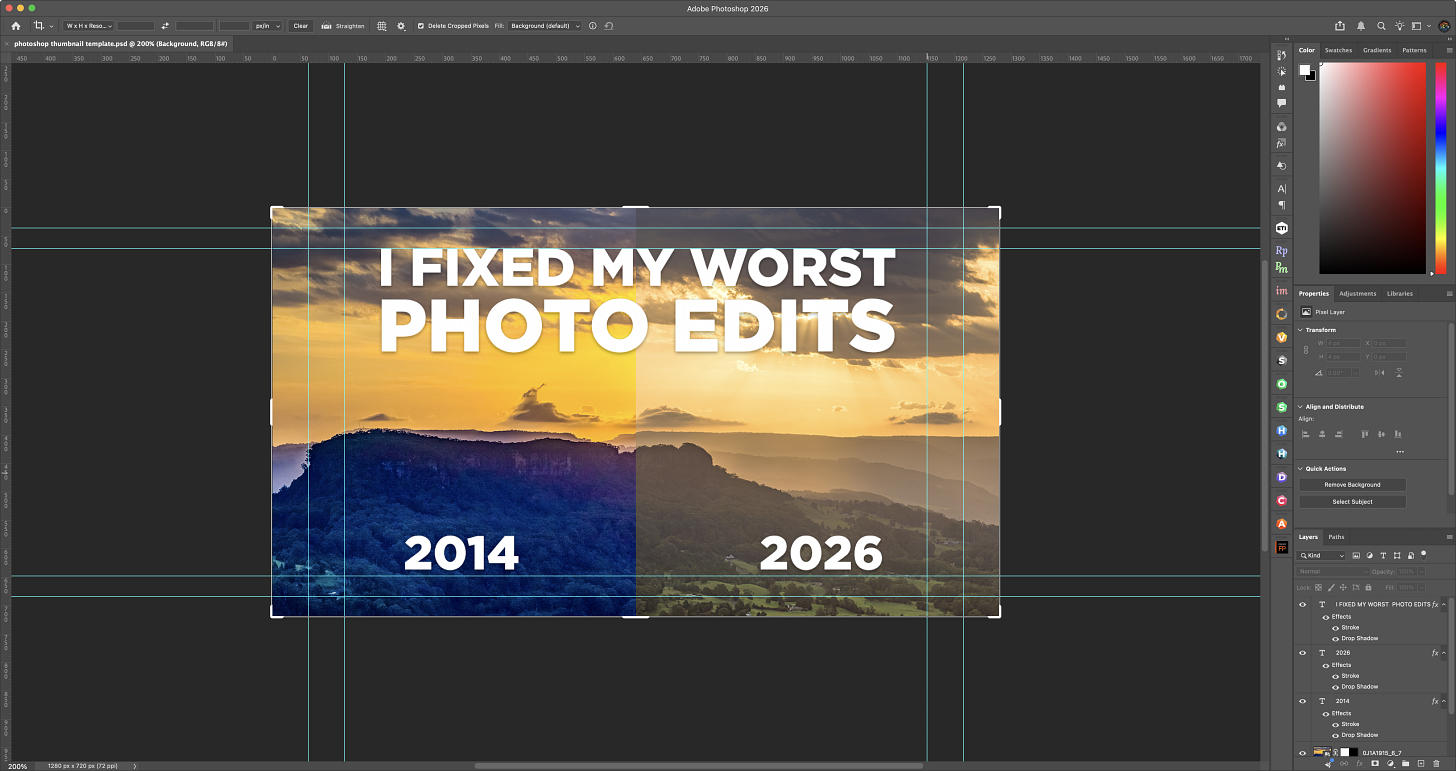
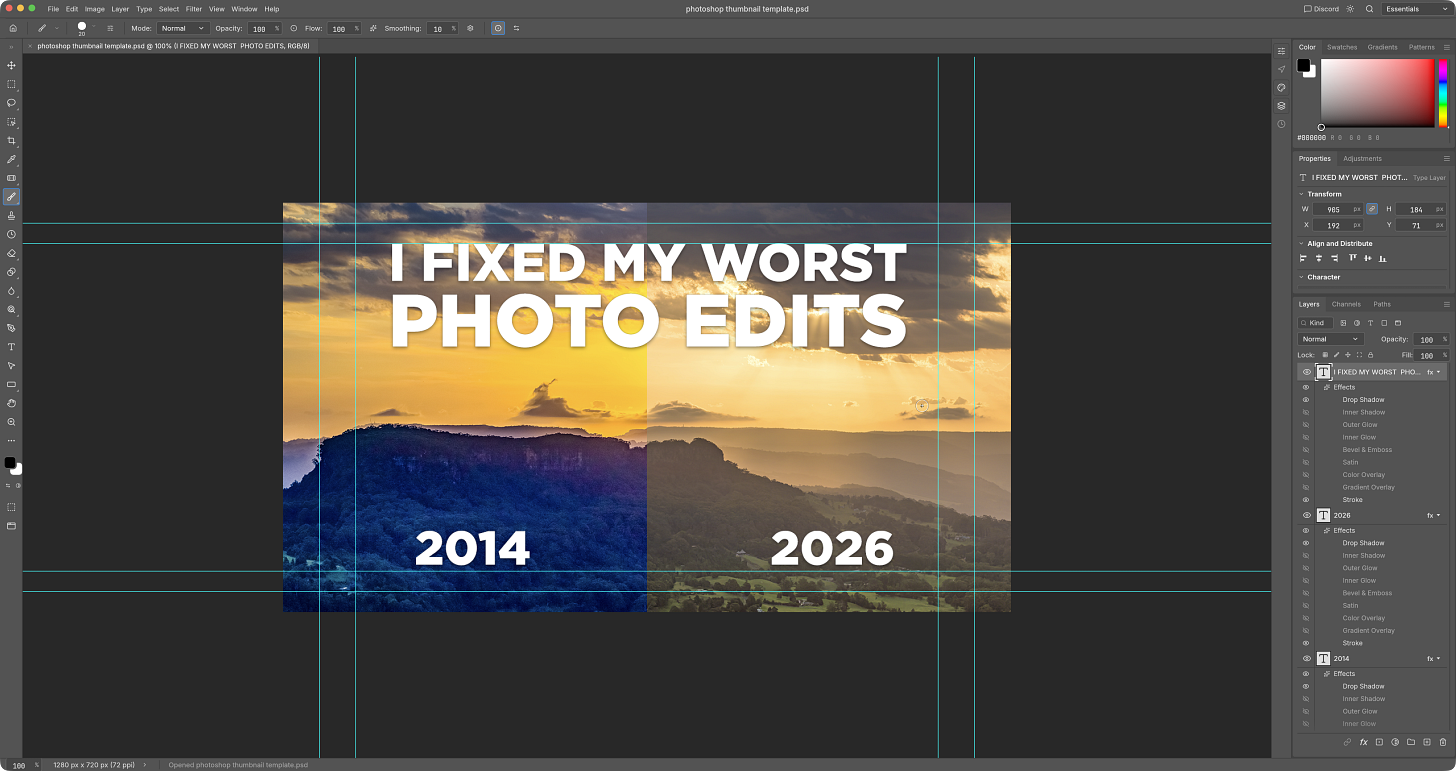
Firstly – and most importantly – yes it opens .PSD files and – yes it keeps the layers and adjustments intact. I opened a thumbnail template that I created in Photoshop and it had no issues opening the image and displaying it identically to Photoshop – right down to the guides that I used to line everything up.
In terms of the implementation, pretty much all of the standard tools have been cloned in PhotoCraft, including adjustment layers, RAW support (yes including a Camera RAW filter), masking, transforms (including distort and warp), type (paragraph, align/distribute etc), filter gallery and smart objects.
However, when it comes to Photoshop’s more recent features – AI masking and the generative stuff you find in the Context bar (generative fill, expand, remove etc), it’s a different story. There are no generative features at all in this current version and the AI selection tools are as useless as the ones in Lightcraft – subject selection just doesn’t work and object selection works on only the most primitive of shapes on high contrast backgrounds.

That’s not to take away from the efforts of the team that have built this app though – it’s a singularly impressive effort and, if your Photoshop needs do not include AI, then it’s fairly close to a like-for-like swap already. It is fast, stable (on the Mac version I tested) and has a lighter footprint, using less memory and far fewer threads.
The Legal Issues
I’m not a lawyer, but it doesn’t take a barrister to see that flagging your project as a “clean-room reimplementation of Adobe Lightroom” is asking for scrutiny by Adobe’s engineers. You can guarantee that they’ll have an army of worker drones crawling all over that source code, looking for an angle with which to fire off a few cease and desists.
The laws obviously vary around the world, but under US law, copyright does not protect the general ‘look and feel,’ user interfaces, or workflows of software – so they’re on safe ground there, but it’s a riskier proposition when it comes to file formats since there are historical precedents for their protection.
In the documentation on the team’s Github page they avoid referring directly to Adobe’s apps whenever possible and they’ve got a big old copyright disclaimer on their pages which tells you the developers know exactly how close to the line they’re standing.
The First Real Adobe Alternative?
For years now developers (commercial and open source) have positioned their work as an alternative to Adobe’s suite or to its individual apps. And given how profitable Adobe still is, it’s clear as day that those alternatives just didn’t do it for most users.
I’ve been reviewing software like this for nearly 40 years now and I can categorically state that this is the closest anyone’s got to offering a proper Adobe alternative – by which I mean apps that not only look the same, but work the same too.
Judging by the Github page, the number of contributors to the project and the quality of the apps they’ve just released, this is going to prove to be a very popular suite. From reading the roadmap for LightCraft they seem to have a fairly realistic view on where the app stands currently – they put ‘AI & computational’ at only 15% completion and RAW coverage at a generous 55% (I’d put it much lower than that) – but their path forward is clear and they obviously have the momentum now to push through with further releases.
So should you be heading over to your Adobe account page and cancelling that subscription? I’d suggest you take a cautious approach to that. Download these apps and test them for yourself, but I’d be keeping my Adobe subscription valid until the Artcraft team have got a few more releases under their belt. Ask me again in a year and it might be a different story.
Also published in RAW & Unfiltered on Substack.