Five Real-World Power-Masking Techniques for DXO Photolab
Mask like the legend you are - no AI required
 Andy Hutchinson
For paid subscribers
Andy Hutchinson
For paid subscribers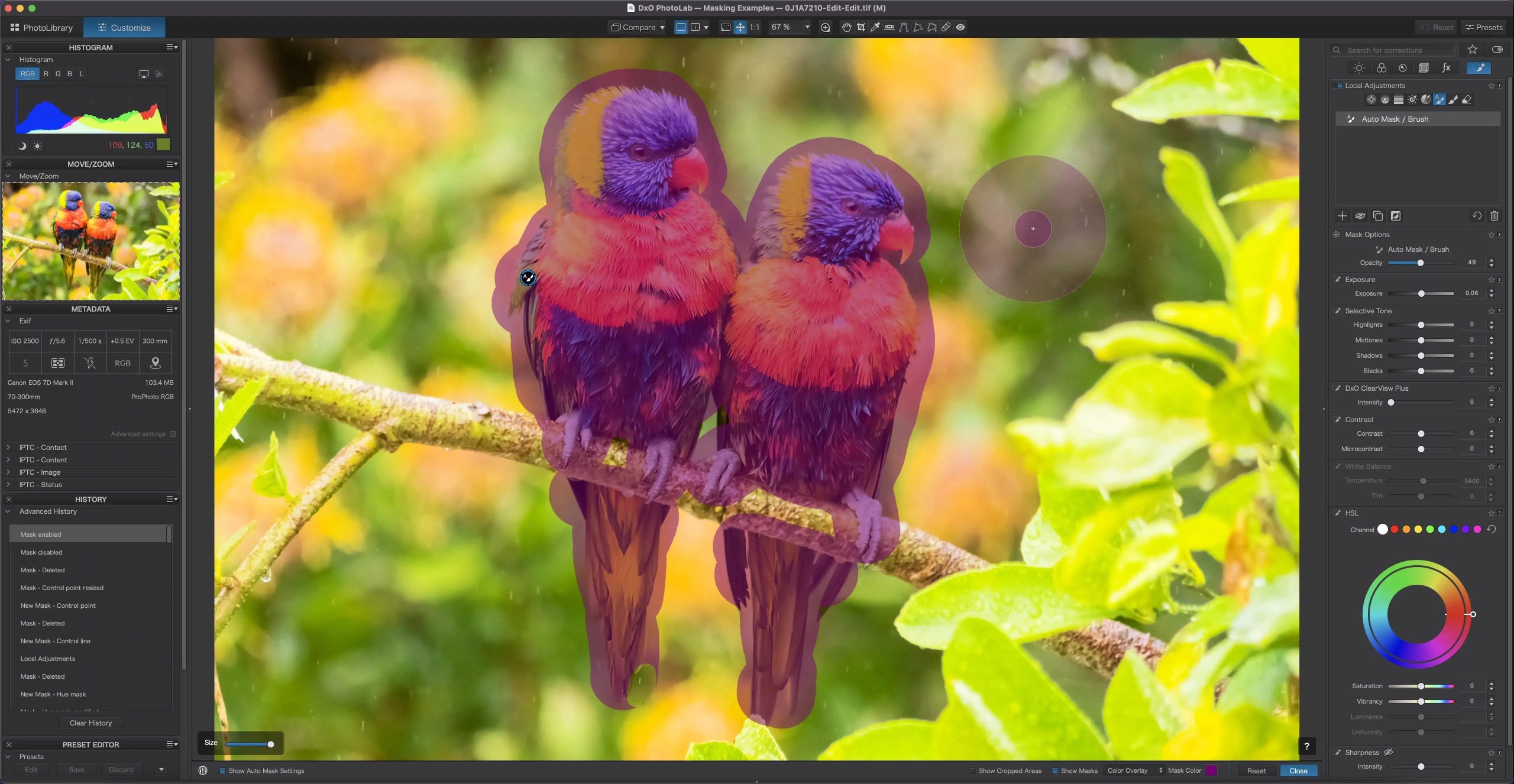
I
f you’ve recently switched from Lightroom to DXO Photolab, then you’ll have discovered that masking works completely differently to the AI tools in Adobe’s app. They can be just as powerful, but there’s definitely a learning curve if you’ve become used to pressing a button labelled ‘Sky’ and getting a near-perfect sky mask every time.
Here’s the thing though – each of the masking tools in Photolab has hidden features that can make the difference between perfect fringe-free masks and a selection that looks like it was traced by a drunk squirrel with a white-board Sharpie. Those features can transform the masking capabilities in the app and make you wonder why you didn’t switch to DXO long ago.
I’ve got five examples for you, showcasing some of the masks and how to get the most out of them.
The rest of this one’s for paid subscribers.
Already a paid subscriber or a Patron? Enter the members’ password from your welcome email.
Not a member? Subscribe on Substack or leave a one-off tip.
Also published in RAW & Unfiltered on Substack.