Excire Foto 2027 Reviewed
This Photo Organiser is Dull in All the Right Ways
 Andy Hutchinson
For paid subscribers
Andy Hutchinson
For paid subscribers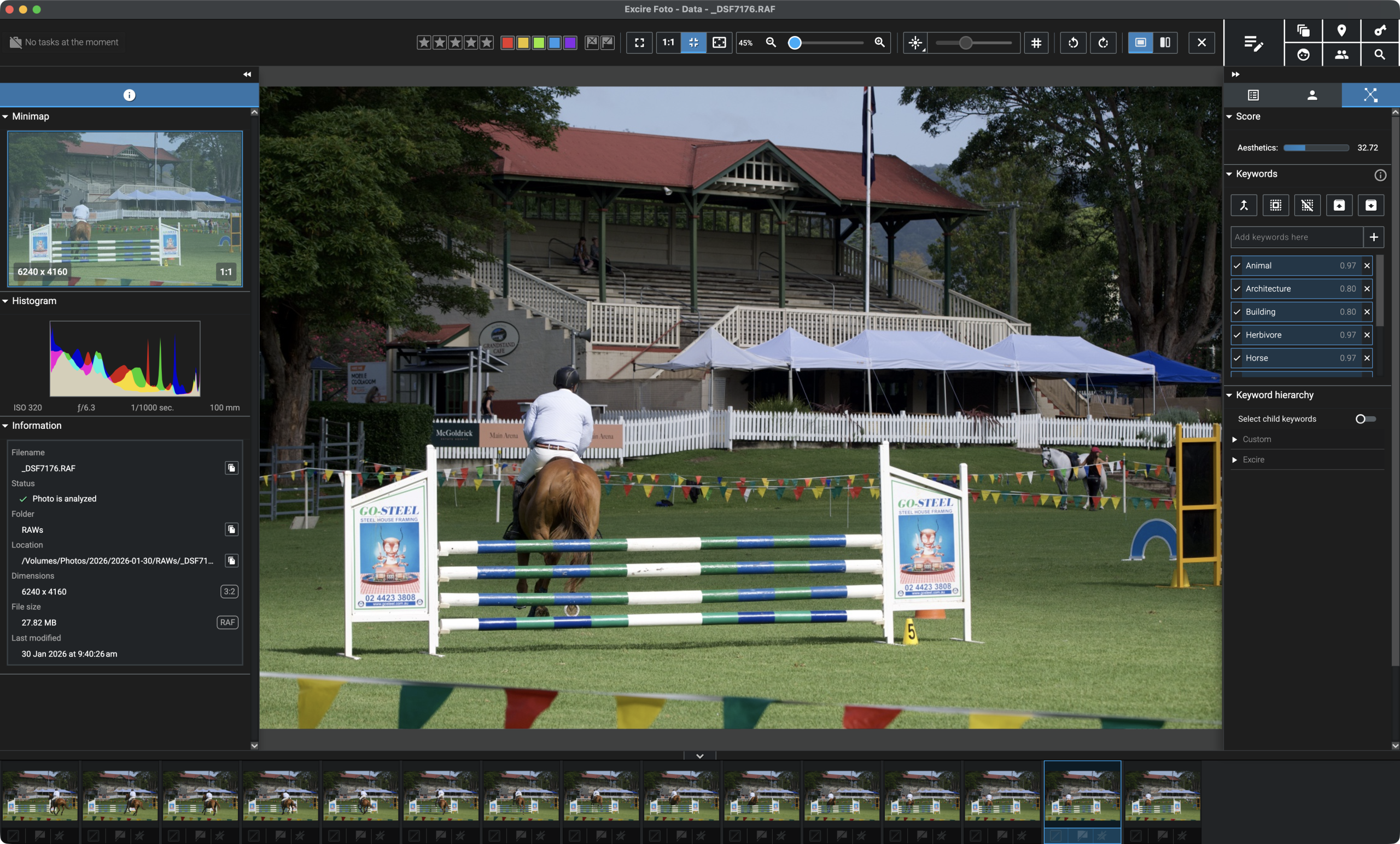
T
ypically speaking there are three ways of managing your photographs: you can leave it to the operating system, you can use the asset manager built into your photo editor, or you can use a specialised digital asset manager app, otherwise known as a DAM.
And there is actually a decent selection of apps that enable you to manage your photographs, to catalog and search them and to filter them in meaningful ways. Photo Mechanic, Neofinder, Adobe Bridge, iMatch and Peakto are commercial options and Digikam is fighting the good fight in open source.
But Excire is a relative newcomer to the market, first released in 2020 and upgraded with excruciatingly slow progress over the last six years with small upgrades to search, keywording, face recognition and workflow. The 2025 release was a bigger update with the adoption of AI culling and, ermm, better search, keywording and face recognition.
Now the 2027 release is out, six months ahead of schedule, with new OCR text search, a map, a visual timeline, unified filters and improved video features. Managing a large photo library is one of those problems that feels solved right up until you actually need to find something.
I downloaded the fully functional 14 day trial of Excire 2027 build 5.0 and put it through its paces on my catalog of landscape photographs.
The rest of this one’s for paid subscribers.
Already a paid subscriber or a Patron? Enter the members’ password from your welcome email.
Not a member? Subscribe on Substack or leave a one-off tip.
Also published in RAW & Unfiltered on Substack.