Excire 2025 – InDepth Review – A Lightning-Fast Photo Manager with AI Capabilities
The perfect bridge between your photos and your RAW editor
 Andy Hutchinson
4 min read
Andy Hutchinson
4 min read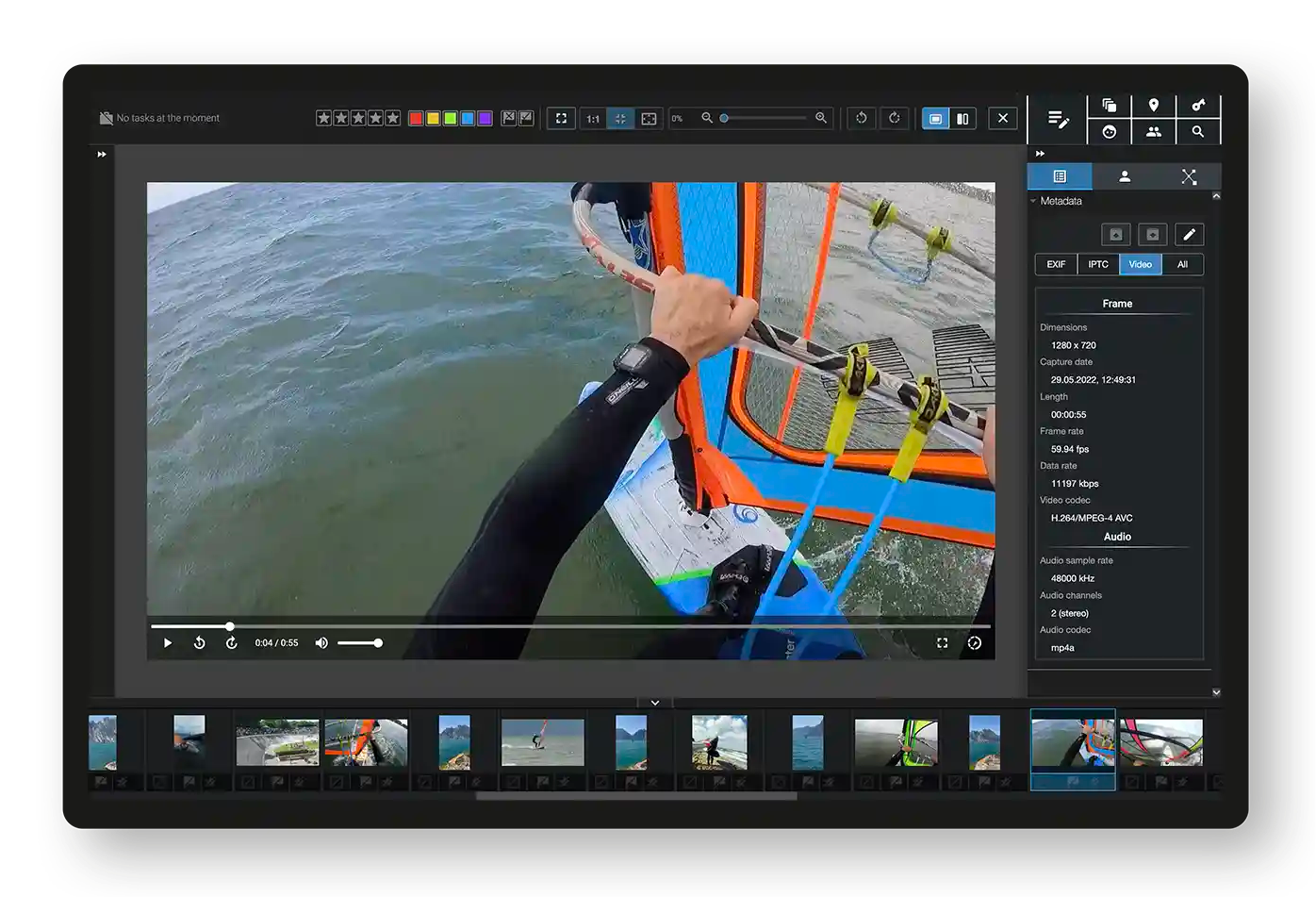
For photographers considering life after Adobe Lightroom, the path forward typically splits into two directions. You can either opt for an all-in-one solution like On1 PhotoRAW, or you can separate your workflow into dedicated apps for asset management and RAW editing. The latter approach offers greater flexibility, allowing you to switch editing tools without disrupting your organizational system.
Enter Excire 2025, a dedicated photo management solution that’s positioning itself as the ideal companion for photographers who choose the split-workflow approach. With its latest update promising enhanced AI search capabilities, let’s dive deep into what this software offers and whether it lives up to its promises.
Key Takeaways
Before we delve into the details, here’s what you need to know:
Excire 2025 features significantly improved conversational AI search and maintains impressive speed even with large photo libraries
The new AI culling feature and emphasis on portrait tools make it particularly valuable for professional studio, wedding, and lifestyle photographers
For hobbyist photographers, especially those who rarely shoot people, the primary appeal lies in the AI-powered search functionality
Priced at $199 US (one-time purchase), it offers a cost-effective alternative to subscription-based solutions
Performance and Interface
Speed is where Excire 2025 truly shines. In testing with a library of 160,000 photos, the software demonstrated near-instantaneous thumbnail rendering when scrolling—a stark contrast to Lightroom’s often frustrating load times of 5-30 seconds.
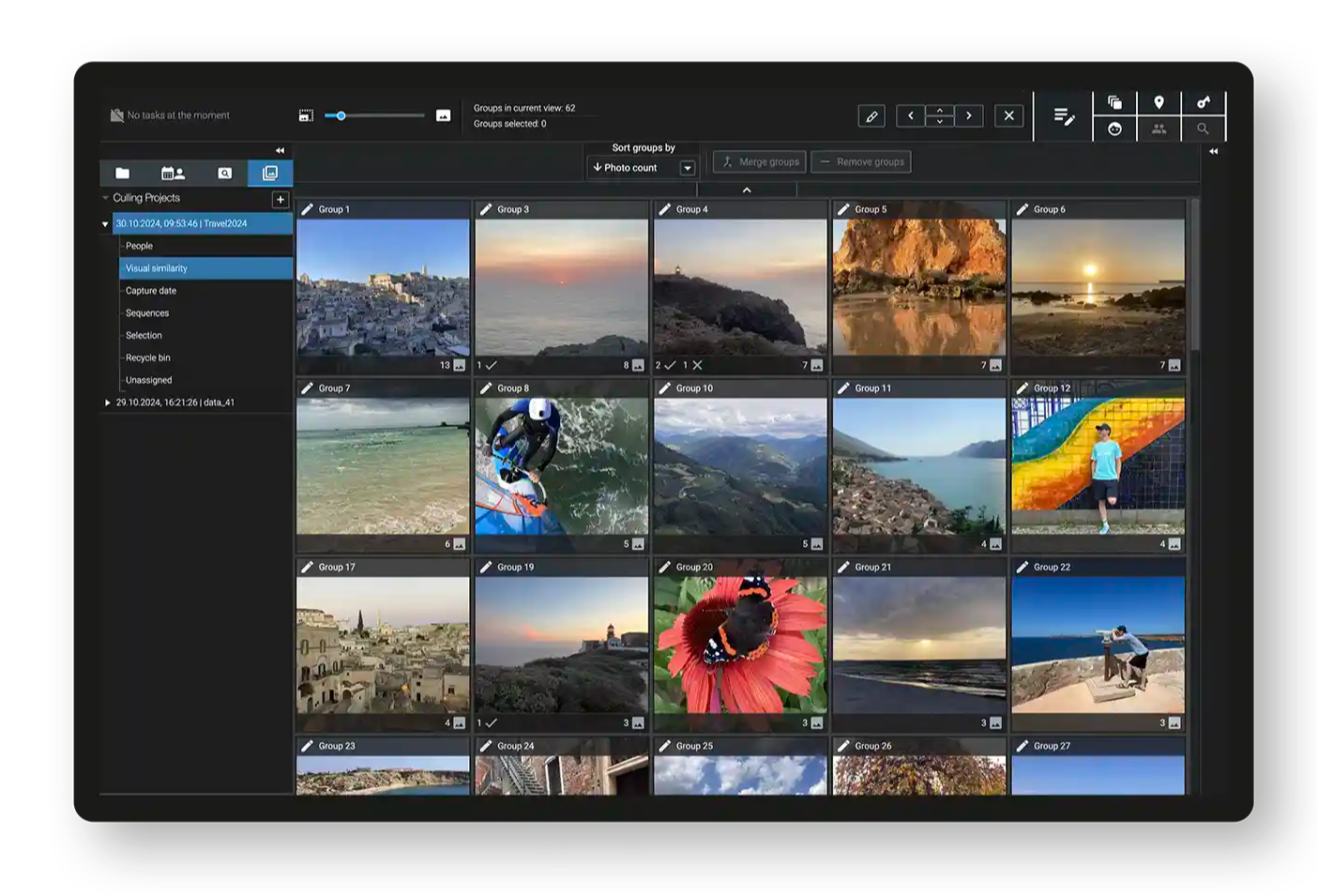
The interface prioritizes functionality over aesthetics, featuring a utilitarian design that might seem stark to some users. The layout follows a logical structure:
Navigation panel (folders, timeline, saved searches, culling) on the left
Filtering options above the central thumbnail area
Search and file information on the right
While the minimalist interface might not win any design awards, its simplicity makes it incredibly intuitive. Most users should be able to master the basics within minutes, without consulting the manual.
AI Search Capabilities
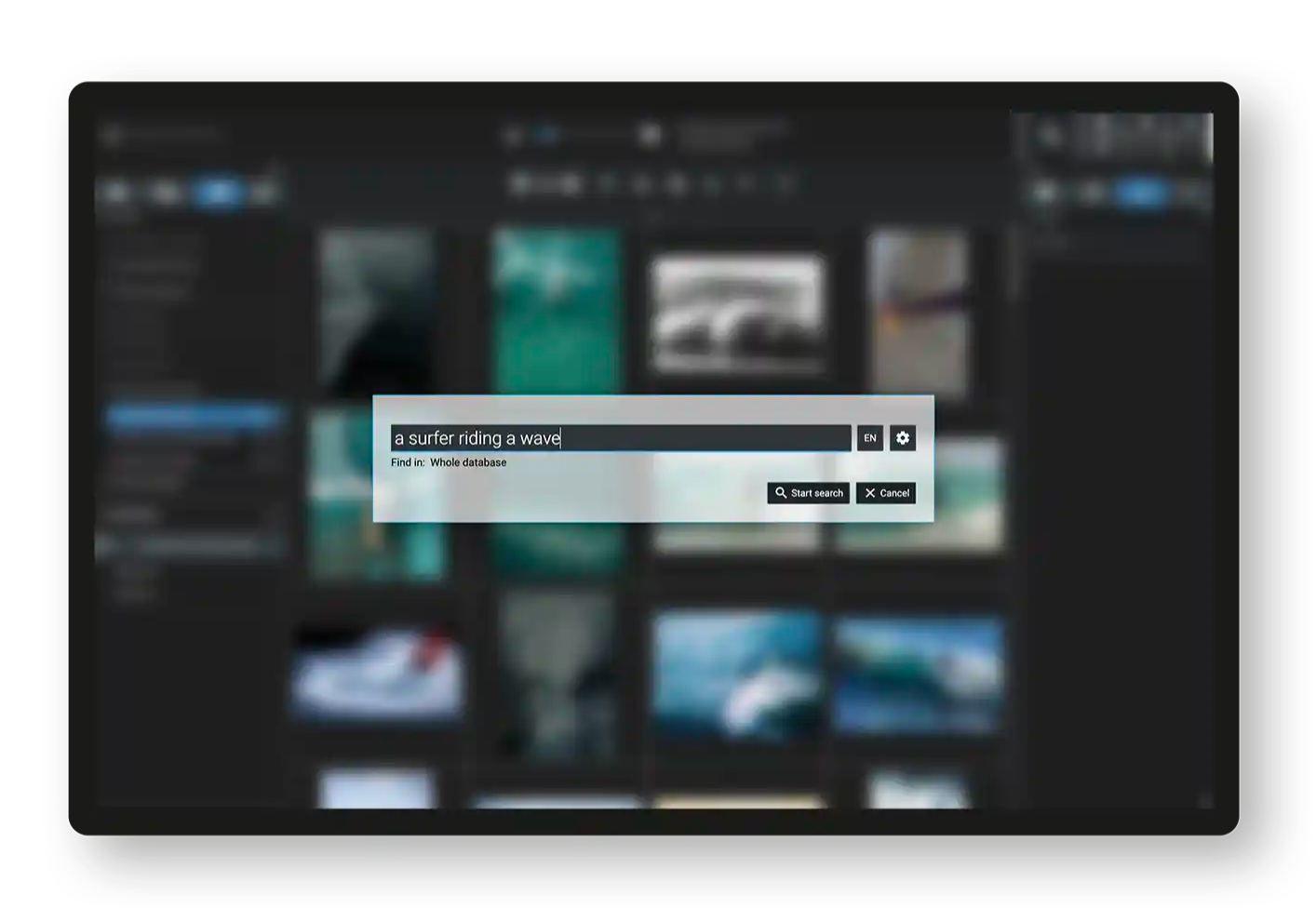
The conversational search feature represents a significant improvement over its predecessor. Users can now search their photo library using natural language queries, with results that are both fast and accurate. A standout feature is the adjustable tolerance setting (1-100), offering precise control over search results—something its competitor Peakto lacks.
However, the AI keywording tool remains a weak point. Testing revealed that it generates overly broad and limited keywords, often missing obvious elements in photographs. For instance, a complex aerial shot of a beach town with boats and a golf course might simply be tagged as “nature.”
Professional Features
Face and People Detection
The software offers sophisticated people-focused features:
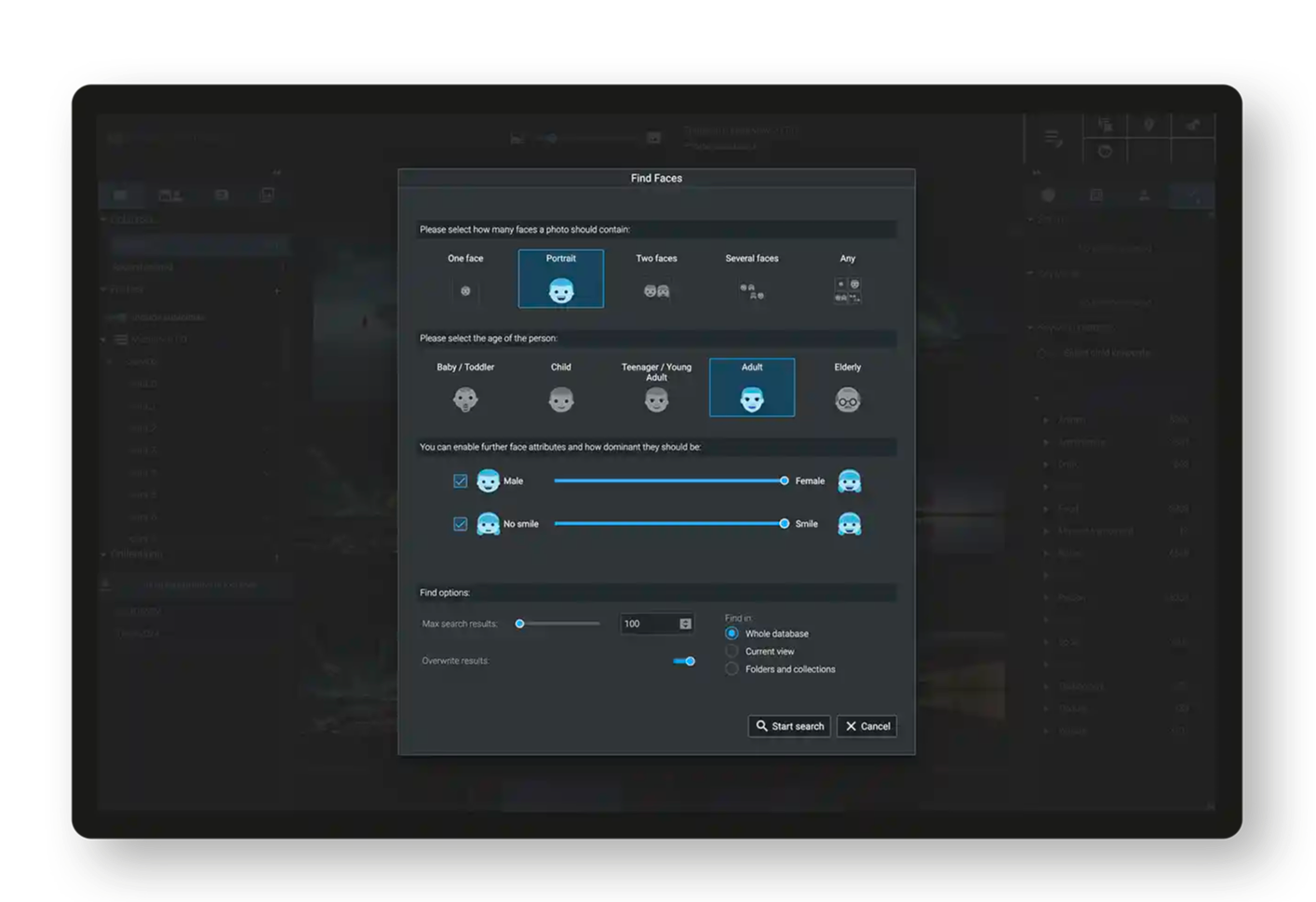
Separate “face” and “person” search capabilities
Age and gender classification options
Fast and accurate detection algorithms
AI Culling Tool
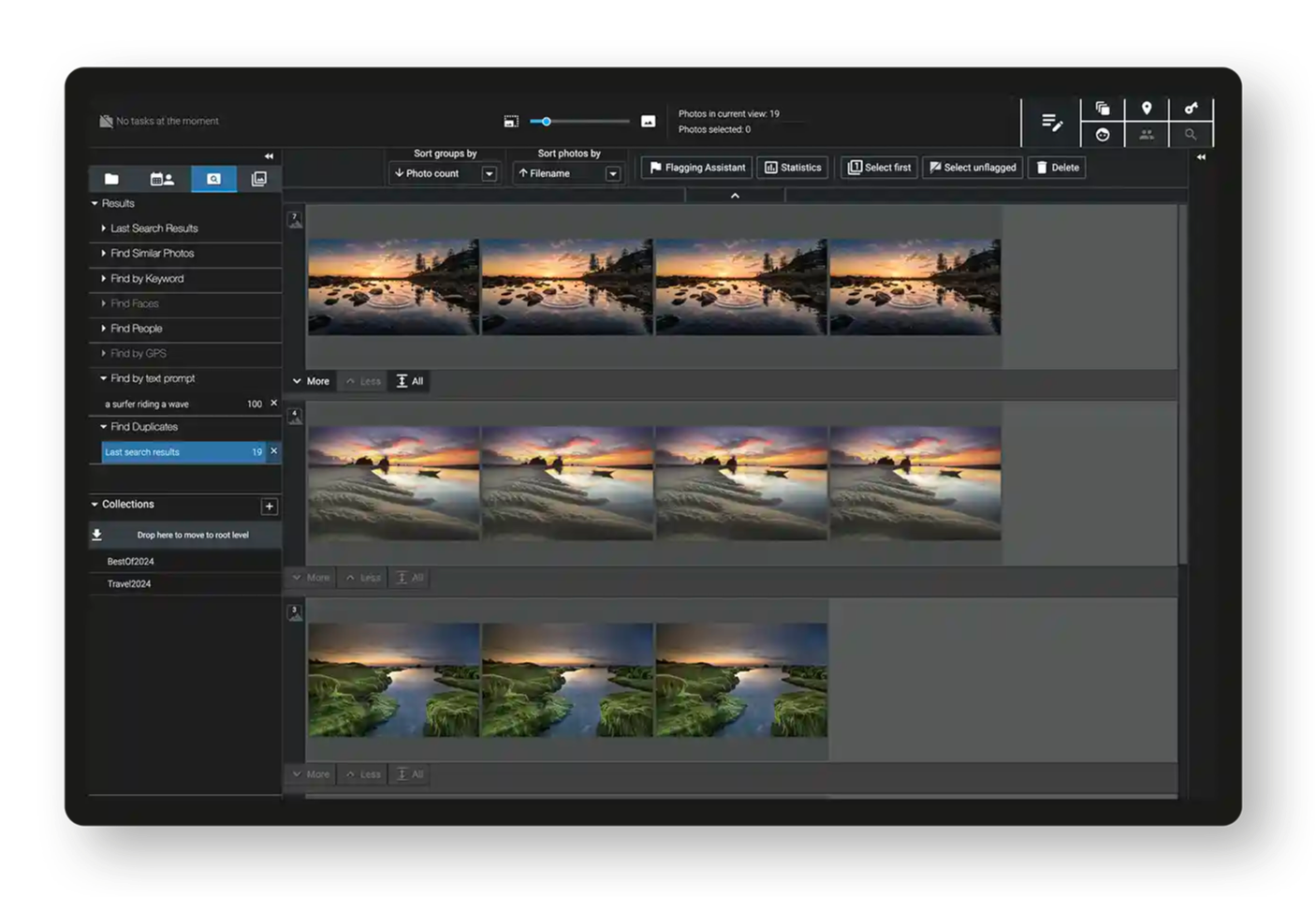
A standout feature for professional photographers, the AI culling tool helps streamline the selection process by:
Grouping similar photos based on people, visual similarity, capture time, or sequence
Providing AI-enhanced sorting options, including excellent sharpness detection
Enabling efficient batch processing of large shoots
The only significant drawback is the requirement to import photos twice for culling projects, with import times running relatively slow (approximately 30 minutes for 1,900 photos).
GPS Integration
The GPS functionality offers a clean interface but shows room for improvement in terms of accuracy. Testing revealed discrepancies in location-based searches compared to Lightroom, with Excire finding significantly fewer geotagged images within the same parameters.
Practical Applications
Excire 2025 proves particularly valuable for:
Professional photographers managing large portfolios
Wedding and event photographers needing efficient culling tools
Anyone prioritizing fast access to their photo library
Photographers seeking a Lightroom alternative for asset management
When paired with a capable photo editor like Affinity Photo, it forms a robust foundation for a professional photography workflow.
Pros and Cons
Strengths
Exceptional speed and performance with large libraries
Powerful conversational AI search
Effective AI culling tools for professional workflows
Cross-platform compatibility (Windows and Mac)
One-time purchase versus subscription model
Areas for Improvement
Basic interface design
Limited AI keywording capabilities
GPS search accuracy
Lack of auto-advance in culling mode
Slow culling project import times
Final Verdict
Excire 2025 represents a significant step forward in photo asset management, particularly for professional photographers. Its combination of blazing speed, sophisticated AI search, and professional-oriented features makes it a compelling alternative to Lightroom’s asset management capabilities. While some features could use refinement, the software’s core functionality delivers impressive performance.
For professionals looking to break free from Adobe’s ecosystem while maintaining efficient workflow management, Excire 2025 presents a viable solution. Its one-time pricing model and cross-platform availability further strengthen its position in the market.
The software’s speed and AI capabilities set new standards for photo management, though its success in your workflow will largely depend on your specific needs and shooting style. For wedding, event, and portrait photographers, the AI culling and people-focused features alone might justify the investment.
Also published in RAW & Unfiltered on Substack.