Digikam: A Serious Photo Asset Manager Without the Serious Price Tag
It's completely free.
 Andy Hutchinson
For paid subscribers
Andy Hutchinson
For paid subscribers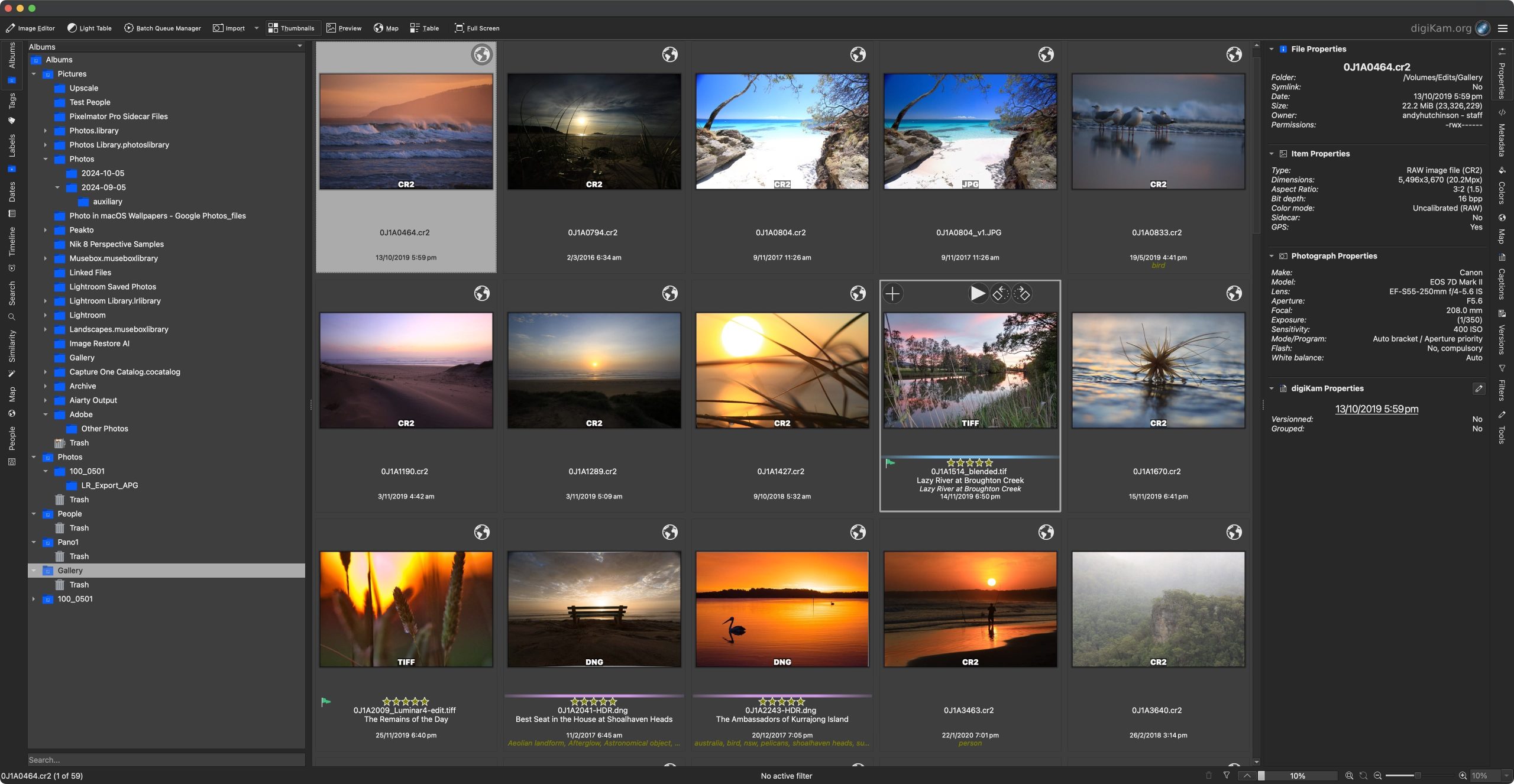
D
igikam is an open source cross-platform photo management and editing application that’s been around for 24 years. With some updates over the years to include AI face recognition, GPU acceleration, and auto tagging, I thought it was high time I had a proper look at the app. A serious tool without a serious price tag? Is there a catch?
The Asset Management Dilemma
One of the issues with ditching an app like Adobe Lightroom is that you need to find a new asset manager for your photographs. You could just switch to a Lightroom alternative, such as Capture One and use its built-in file browser, but you’d only be switching brands and Capture One is not actually that much cheaper.
With Lightroom out of the frame, you might also decide to keep asset management and post-processing separate, giving you the freedom to switch between different raw editors whenever you choose. And there are a few options out there for Windows, Mac and Linux, but most of them are commercial products too, and if you’ve ditched Adobe due to the cost, then you’re not really improving your situation.
One possible solution is to embrace the world of open source software and apps built and maintained by enthusiasts that are completely free to use forever. And as a venerable member of the open source community for twenty-four years, Digikam is a solid option – a powerful, fully-featured cross-platform asset manager built specifically for photographers that offers complete organisation, editing, and workflow capabilities.
The rest of this one’s for paid subscribers.
Already a paid subscriber or a Patron? Enter the members’ password from your welcome email.
Not a member? Subscribe on Substack or leave a one-off tip.
Also published in RAW & Unfiltered on Substack.