Generative Credits in Photo Editors are the Next Big Grift
Bring your credit card
S
ometimes it seems to me like the software industry has looked at the illegal drugs trade and cribbed a few lessons from the way they conduct their business. Give ’em a taste for free, get ’em hooked, and then when they become dependent upon your product, start charging ’em and don’t stop charging until you’ve bled them dry.
Here’s the walkthrough: they’ve created powerful AI tools and for the most part, the use of those tools is included in the original purchase price. They have become a consistent part of many photographers’ workflows and photographers have become reliant upon them. Even though they’ve got you paying a monthly fee or annual fee for the software, they’re now going to start charging you extra to use all those awesome tools.
As always, it’s Adobe leading the charge on this one, but they are not alone and I strongly believe they’re ‘innovating’ where other companies will happily follow – because history shows us that is the case. Not content with bleeding their loyal customers dry with inflated subscription fees, Adobe are now ramping up their profits by charging customers to use the same AI tools they’ve already been invoiced for. You’ve got to admire the sheer audacity of it – the balls to charge their customers twice for the exact same thing.
By now, Adobe’s AI tools are hard to miss, but nowhere are they more visible than in Photoshop. Generative fill, generative expand, generative crop, sky replacement, super resolution, enhance, subject masking, smart portrait, super zoom, colourise – once you start adding them up you realise just how AI-heavy Photoshop is these days. And up until recently, the use of all those tools was included in the stupidly expensive subscription you paid to Adobe – but, friends, that’s all about to change.
Welcome to the Machine
All users on the various Adobe subscription plans are allotted a certain number of ‘inclusive’ generative credits each month and the speed with which they use those credits will depend entirely on what plan they’re on and how hard they lean into AI in their post-processing. Some AI tools are ‘free’ to use, some incur a small charge of a couple of generative credits and some premium features charge a large number of generative credits on a per-use basis.
Typically speaking the ‘free’ tools use an older kind of AI processing, commonly referred to as machine-learning and these have been around for a lot longer than you might imagine. For example the content-aware fill tool (which was the go-to removal tool prior to the introduction of generative AI) was first introduced in Photoshop CS5, all the way back in April 2010. Yes, legends, we’ve been using AI to fix-up our photos for at least 15 years. Does that surprise you? I know it seems like it’s quite a recent thing, but Adobe have been on it from the very beginning.
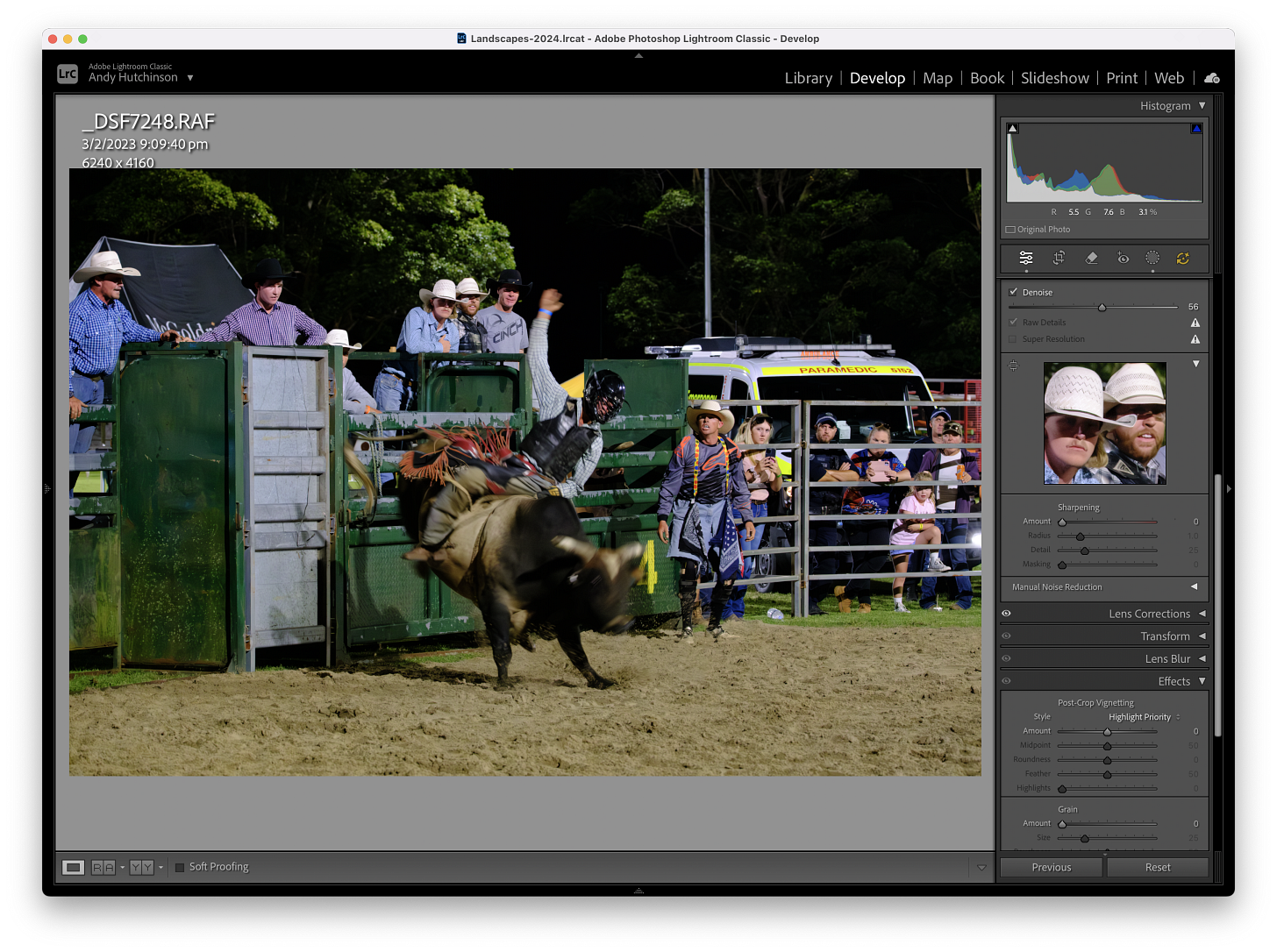
Auto-tone, auto-contrast and auto-colour are all built using Adobe’s ‘Sensei’ machine learning models too, just for the record. So we’ve all had AI, in one form or another, for some time now. And where one company innovates, other companies follow. There aren’t many commercial photo editors out there, if any, that have no machine-learning or AI tools at all. It’s only in the open source community that you’ll find apps like DarkTable that are completely free of AI.
We’ve all been conditioned – myself absolutely included – to depend on advanced tools that either take the drudgery out of old tasks or let us do things we couldn’t before.
This Won’t Hurt a Bit
I can remember when Adobe first introduced content-aware fill, because it honestly felt like magic. Previously of course there was the good old rubber stamp tool, which has been in Photoshop from the very beginning. It was a crude tool, but at the time it felt every bit as revolutionary as generative imaging. That tool was slowly iterated into the healing brush, then the patch tool and then in 2010 – the content-aware tool.
I use content-aware fill to fix up minor issues with my photographs to this day – I nearly always prefer the outcome to that of generative fill and it doesn’t feel like I’m ‘cheating’ – tainting myself with filthy AI – even though I am. Other machine-learning or AI tools are now a completely standard part of the majority of photographer’s post-processing workflows.
Who doesn’t love AI denoising and the way it has liberated a million previously buggered high ISO photos? How great is it that I can create a beautiful looking sky mask by clicking a button called sky mask? How brilliant is it that I can not only remove a distraction, but seamlessly replace it with some perfect invented background within seconds?
And it’s not just Adobe customers who are now generative junkies itching for their next fix of pain-free, straight to the pleasure-dome, fast-acting, rapid-relief computational sleight-of-hand. Affinity Photo, Capture One, Pixelmator, Photomator, Acorn, ON1 Photo RAW, Luminar Neo, DxO PhotoLab, Topaz Photo AI, PaintShop Pro – even apps that once swore fealty to traditional editing workflows are now dabbling in the algorithmic dark arts. 10 points to Slytherin.
The moderately good news is that, at this stage, many of the afore-mentioned apps are not charging you twice to use their AI features. That’s often because they’re using either open source off-the-shelf pre-built models or they’re leveraging tools that are already built into the operating system. Any developer can download a model from somewhere like Hugging Face or TensorFlow Hub and add segmentation (which is AI selection), upscaling, denoising or inpainting to their app. Or on Mac they can use Core ML.
But there’s no guarantee that the free tier in any of those apps will stay free forever – even if the developer’s using open source models that cost them nothing. Perhaps the future of post-processing lies entirely online? After all, some companies have bypassed the desktop app model completely and made AI the U.S.P in their service. Imagen AI, Aftershoot, Retouch4Me, Evoto AI and Remove.bg – I’m looking at you.
So we’re all (hush now DarkTable users) … we’re all hooked and there’s no chance we’re getting ‘clean’.
Hook, Line and Sinker
So now that we’re all crawling around the room, shirtless, in our underwear smearing cheeseburgers over our chests – that’s when the grift begins. It’s Adobe – ever the poster child for late-stage capitalism – spearheading the shift to this pay-per-use model for AI tools.
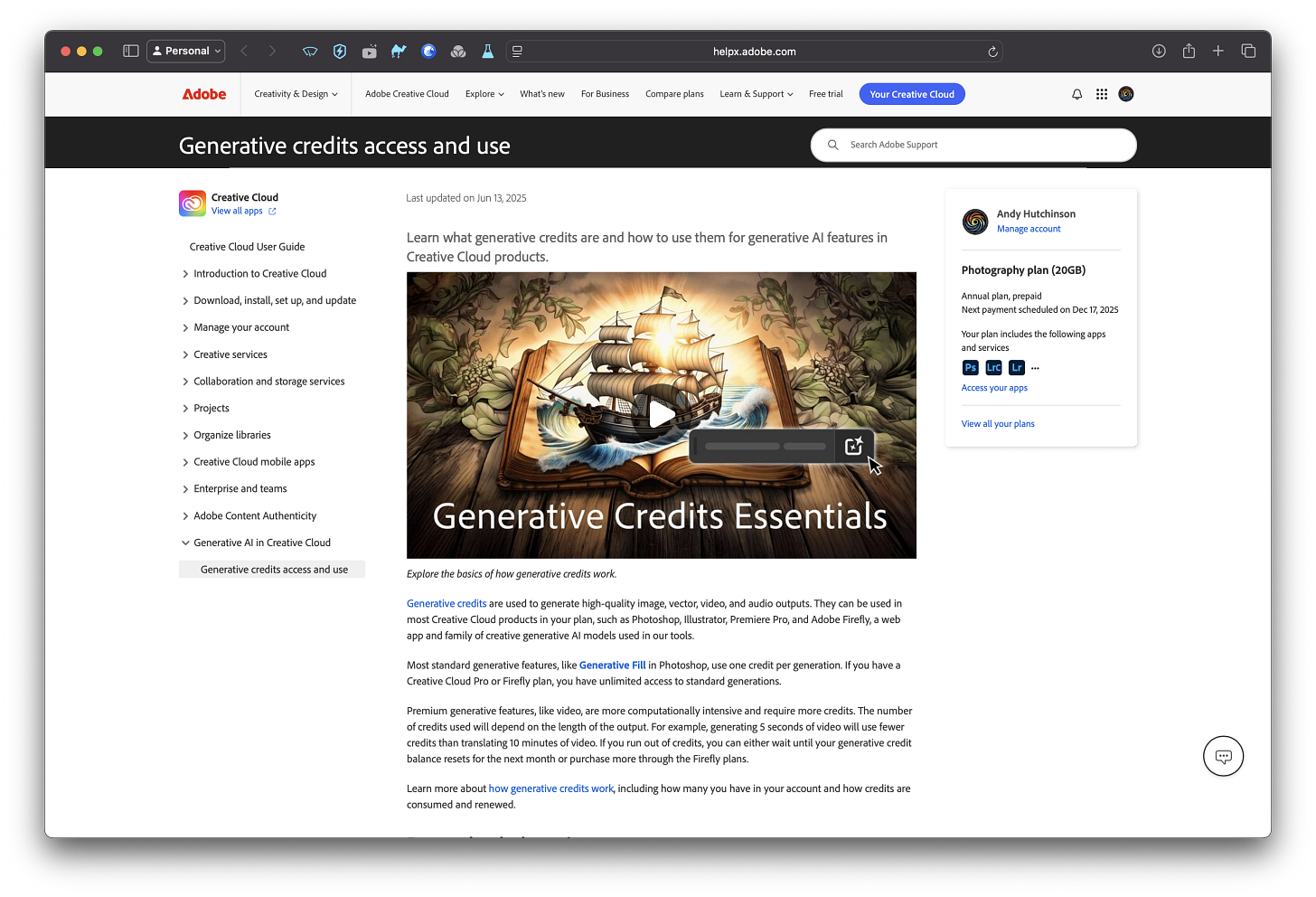
And if you’re confused about how much it will cost you, they have a really cute explanation on their website:
Generative credits are like tokens at an arcade, so while a pinball machine might use one token, the adventure game that uses a virtual reality headset might use multiple tokens. This is how standard and premium generative features work — standard features, our pinball machines, use fewer generative credits since they use less power, while complex premium features, like virtual reality games, use more.
Yes, really, that’s how the marketing geniuses at Adobe chose to explain it. But hold on – I noticed a tell-tale emdash in that text, and the whole thing sounds very AI, so I’m guessing that actually, that’s how an Adobe intern got ChatGPT to explain generative credits. Stay classy Adobe.
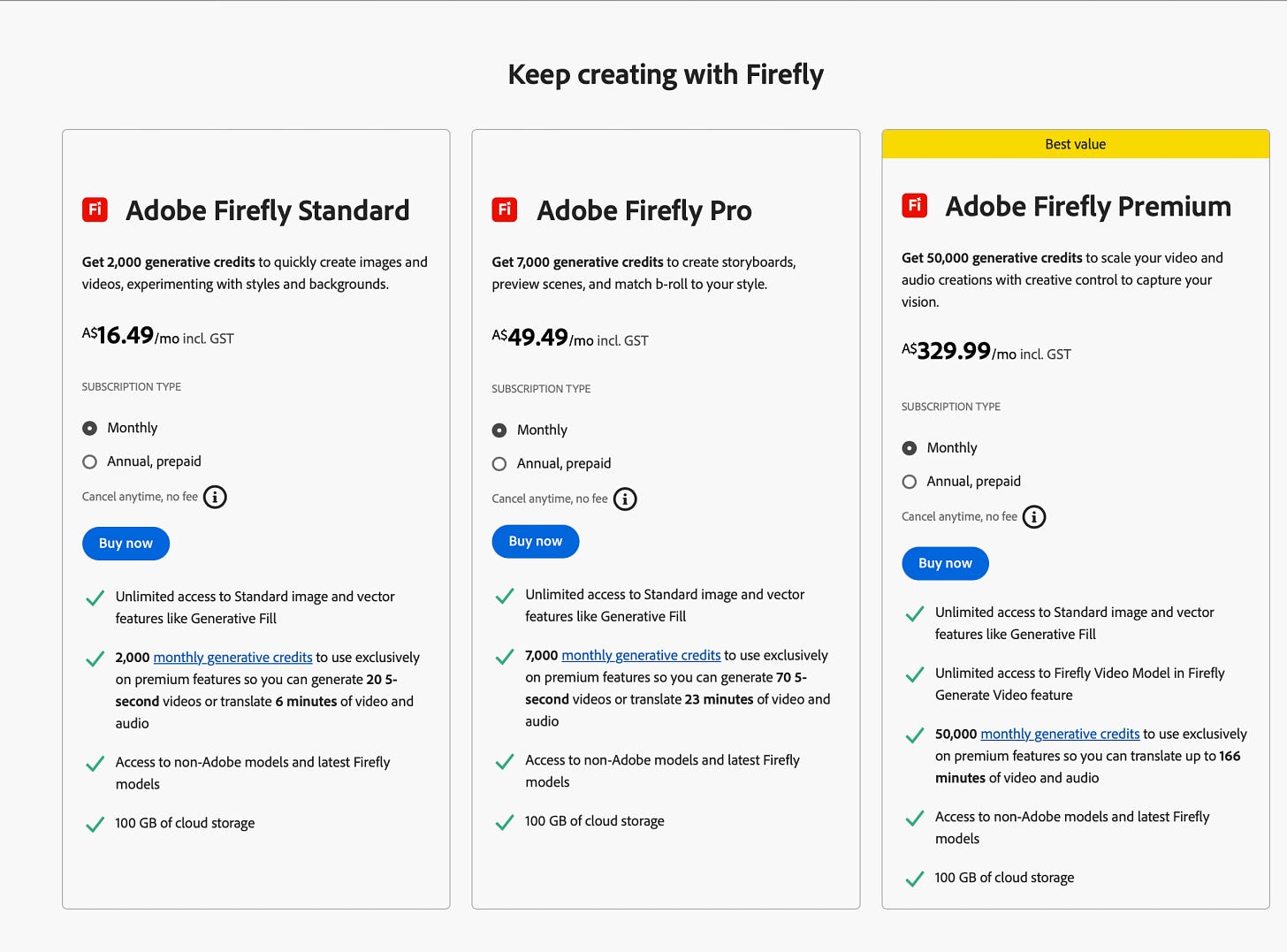
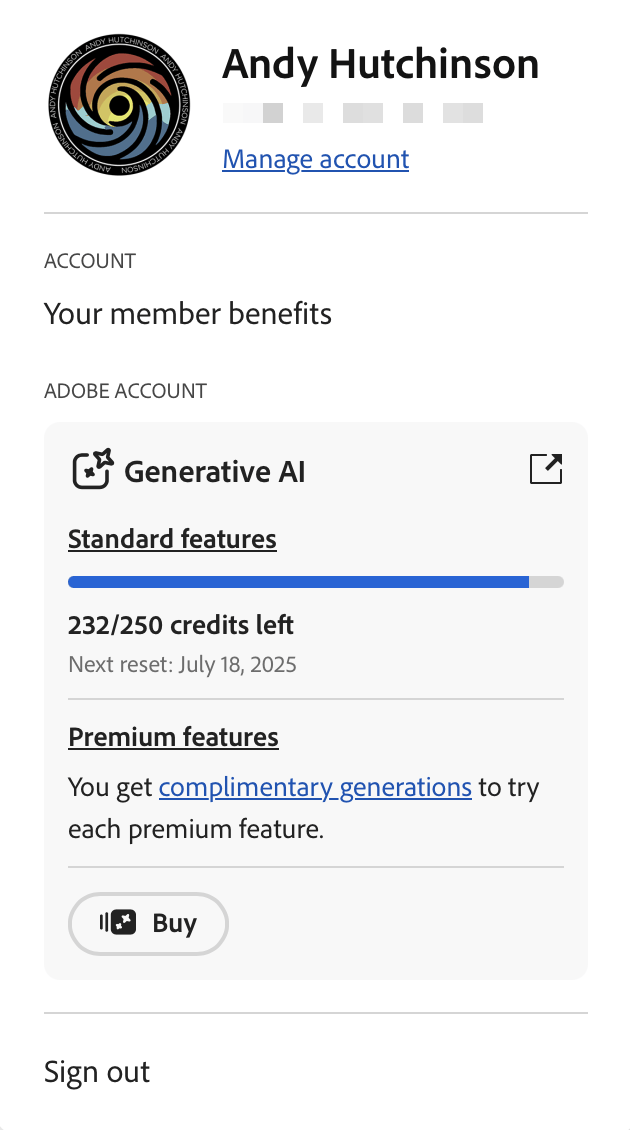
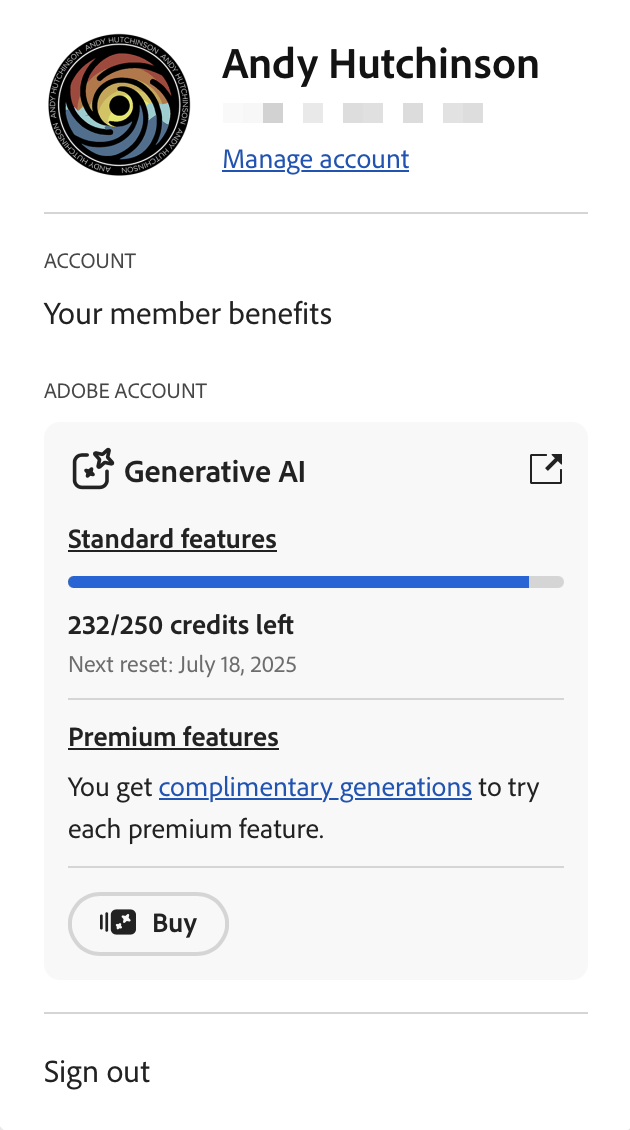
Now up until earlier this year, anyone with an Adobe subscription had a set number of generative credits attached to their account, but the number never went down. Well since June 13th in the year of our lord 2025, when you use certain tools in Photoshop that number’s going to start going down and you could, quite easily run out of ‘bundled’ credits and have to buy more.
At the moment tools like AI remove in Photoshop don’t use any credits, but what Adobe called ‘Standard’ AI tools use one credit per generation. Generative Fill is one of the tools in question and every time you use it you’ll be eating into your allowance. At this stage there are no ‘premium’ AI tools in Photoshop – they’re restricted to Premiere Pro – but you can guarantee that things are not going to stay that way.
Given what we know about Adobe’s mercenary attitude to its customers you can also guarantee that the number of generative credits allotted to each account’s monthly subscription will inevitably suffer from shrinkflation over the years. Figure you’ll just bank the credits you didn’t use and carry them over to next month? Think again – there’s no rollover of generative credits in the Adobe plans.
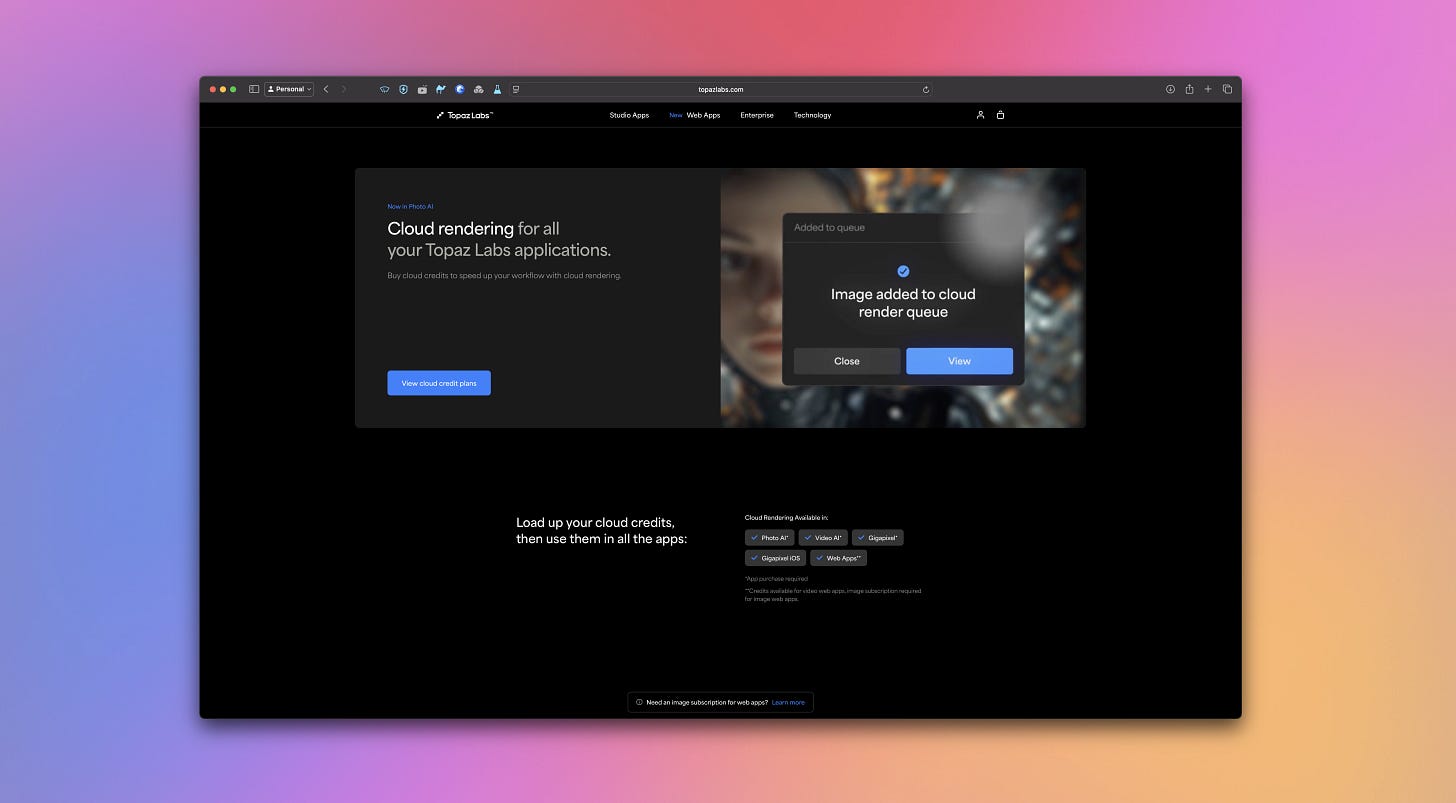
The other company currently going all in on lucrative generative credits is of course TopazLabs, the once-innovative developer that brought AI post-processing to the masses in the first place and is now the poster-child for the enshitification of software. TopazLabs software has suffered badly from over-promising and under-delivering in recent years, but they are all-in on AI and they have made generative credits a core part of recent updates. Running generative AI features locally in Photo AI 4 is a staggeringly slow process and customers are helpfully pointed in the direction of the cloud-based renders which take a fraction of the time but cost an arm and a leg.
Double-Dipping
Mark my words, charging extra for the use of generative tools is going to become a normalised business practice over the next couple of years. Remember when Adobe moved to a subscription model – one of the first companies in the world to do so and there was a massive outcry? Didn’t hurt their profit margins, did it? And where Adobe lead, pretty much everyone followed. These days even companies that don’t offer explicit subscription licensing models limit updates to their ‘lifetime’ licences for about a year after purchase or when they roll out a big new point release.
Canva, (the company that own the Affinity desktop apps) have introduced a generative credits system to their online editing system. On1 have a bring-your-own-key option in On1 PhotoRAW so that you can choose to process photos with the generative erase and crop tools using purchased API credits with Stability AI.
Such is the interest in AI tools in post-processing apps like Photoshop and Lightroom, that companies are under huge pressure to bring those same tools to their apps. Who will be the next company to put their generative tools behind a pay-per-use paywall? Capture One, perhaps, that app is owned by a venture capital fund these days, so it sure as shit wouldn’t surprise me. It’s only a matter of time before other companies recognise the financial bounty that awaits them if they introduce generative credits.
The Grifters
So there’s the grift, laid-bare, it takes just three steps and, guess what, we’re already on step three. I have no doubt whatsoever that Adobe will slowly but surely turn generative credits into a dependable little revenue stream, perhaps in the hope of supplementing their stock photography business which must surely be in the shitter.
As always, we’re all (and yes I fully include myself too) complicit in these schemes because we took the bait, we tried the tools, we liked the tools, we made the tools part of our workflow and now the tools at Adobe are going to make us pay. There is no going back. You can’t exactly tell photographers to go cold turkey when generative fill saves them hours upon hours of tedious clone-stamping or when AI denoise makes impossible shots, possible.
Today it’s generative credits, tomorrow it’ll be premium AI tiers, subscription add-ons and usage caps on basic tools. We’ve slowly transitioned from single-purchase marketplace to a subscription economy. The creative software industry has found their golden goose and they’re going to milk it until it’s dust.
We’ll all grumble, threaten to switch to alternatives (that’ll probably adopt the same model somewhere down the line), and we’ll ultimately keep paying because what choice do we have? The house always wins, and in this casino, creativity is the currency.
What’s your take on the generative credits model? Are you stocking up on your credits or would you sooner go back to Microsoft Paint? Let me know in the comments below.
Also published in RAW & Unfiltered on Substack.