Lift a Boring Photo With Dreamy Golden Light and AI Masks in Photolab 9
O
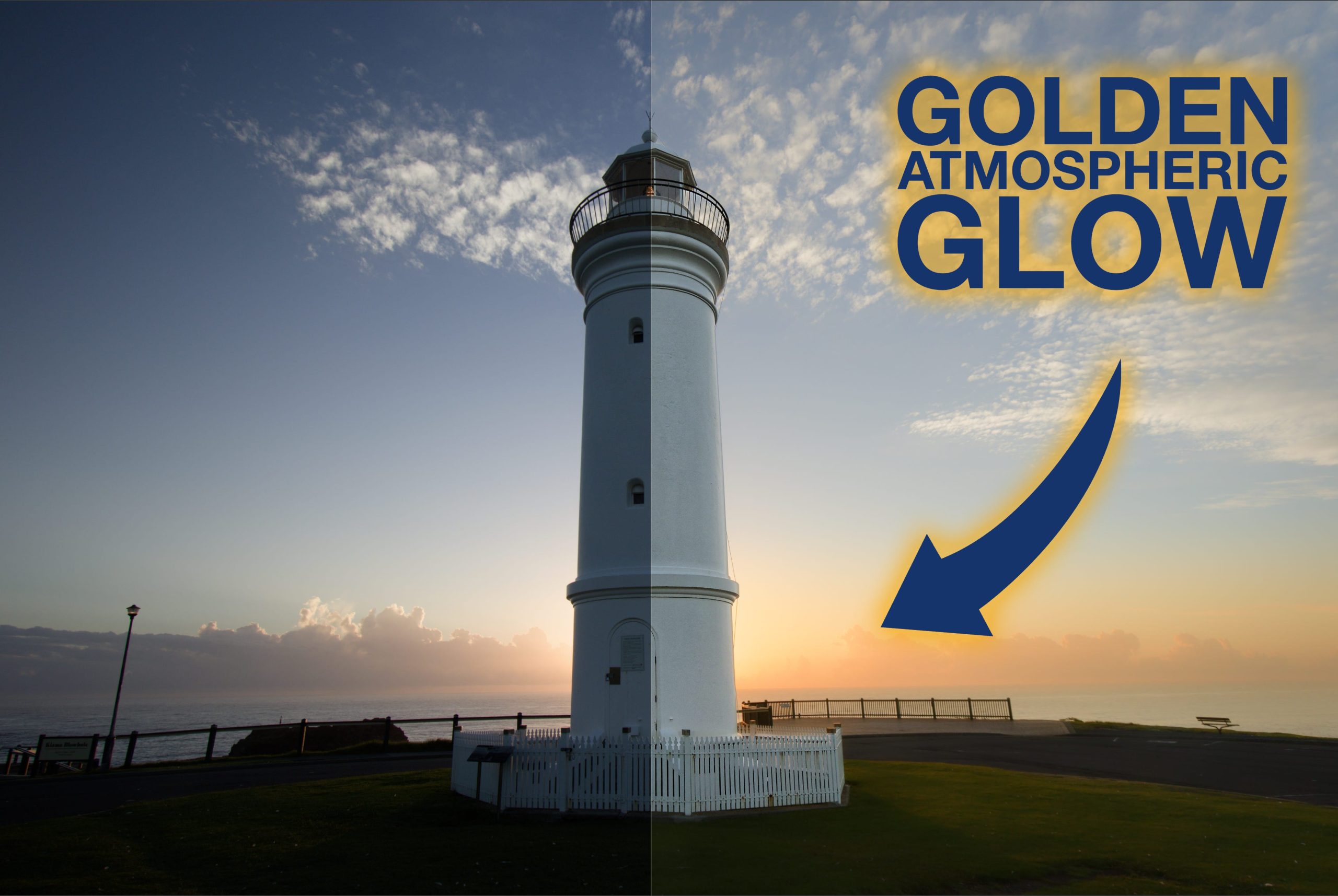
ne of the most useful ways of leveraging the new AI masks in Photolab is to create the separation necessary to properly ‘sell’ any tweaks to the light that you add in post.
In the past adding atmospheric glow to the background of an image was hugely problematic because it meant masking out all of the stuff that the light would not have been spilling onto if it was coming from the direction we were suggesting with our edits. So you had to painstakingly remove areas from a mask, usually by brush, and even then the results weren’t always great.
But with these new tools the task can be accomplished simply and effectively without robbing the photograph of its natural aesthetic.
The rest of this one’s for paid subscribers.
Already a paid subscriber or a Patron? Enter the members’ password from your welcome email.
Not a member? Subscribe on Substack or leave a one-off tip.
Also published in RAW & Unfiltered on Substack.